[Solved] Copy/Paste into MS Access

10 Posts
2 Users
0 Reactions
2,243 Views
Posts: 14
Topic starter
(@bbhulsey)
Member
Joined: 4 years ago
[#62]

Using the SQLInform GUI 6.22.10.15.

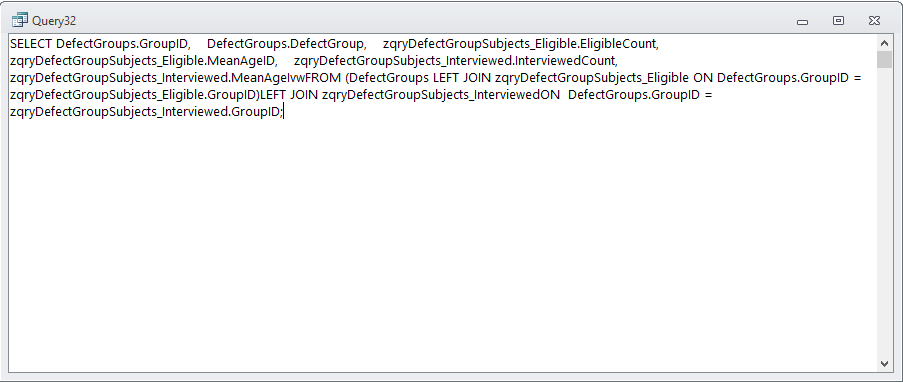
If I use the copy button to copy the Output SQL, when I paste into an Access query window all of the new line delimiters disappear. 

button copy paste

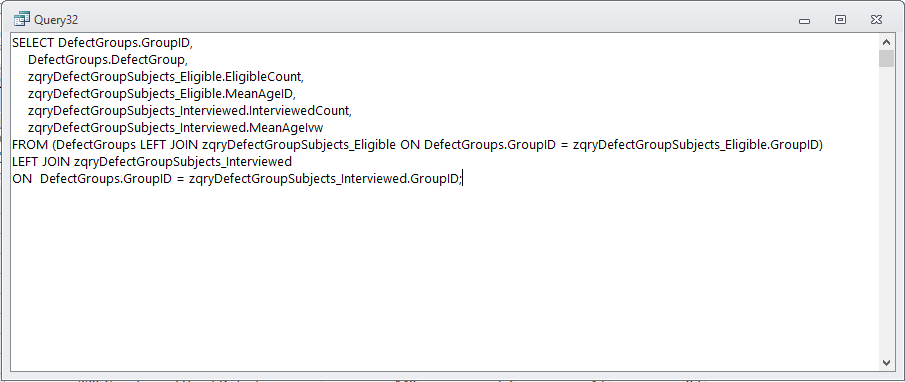
If I manually select the Output SQL with the mouse, then Ctrl-C to copy, then paste into Access query window, the SQL is formatted correctly. 

manual copy paste

I have tried looking at the output of each in Notepad++ using the "show all characters" option and the text from each appears identical there.

Any ideas what might be going on or how to fix it?  Thanks!

-Bruce


Topic Tags
9 Replies
Posts: 14
Topic starter
(@bbhulsey)
Member
Joined: 4 years ago

Still does this in 6.23.03.24.  Annoying.

-Bruce


Reply
Guido
Posts: 295
Admin
(@admin)
Member
Joined: 5 years ago

Hi Bruce,

thanks for the reminder. I try to find out what is happening comparing the behavior with other editors

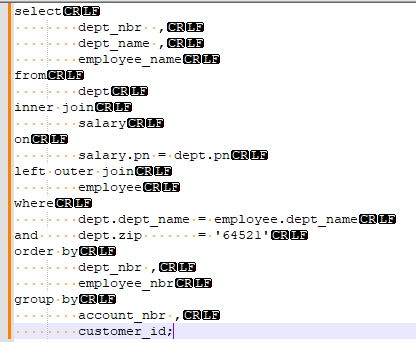
When I use the copy2clipboard button and paste the SQL into Notepad++ then this is the result

grafik

N++ formatting looks fine and the CRLF chars are copied using the copy2clipboard button

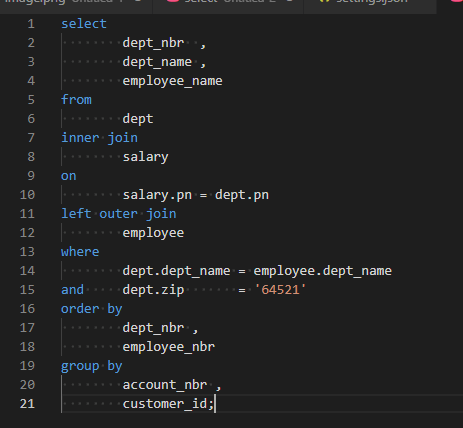
With VSCode it looks fine too

grafik

Now the question is. What is different with Access.

Have you already seen this discussion: https://stackoverflow.com/questions/11930109/how-do-i-force-ms-access-to-retain-its-sql-formatting


Reply
Posts: 14
Topic starter
(@bbhulsey)
Member
Joined: 4 years ago

I think I have found the problem.  SQLInform copies to Windows clipboard in CF_UNICODETEXT format.  When I manually copy from the SQLInform window by selecting with mouse and pressing ctrl-C, the text is copied to the clipboard in CF_TEXT format.  Perhaps there could be an option in SQLInform to copy using CF_TEXT by default?  I have a workaround so it's not terribly important.  Thank you for looking into it!


Reply
2 Replies
Guido
Admin
(@admin)
Joined: 5 years ago

Member
Posts: 295

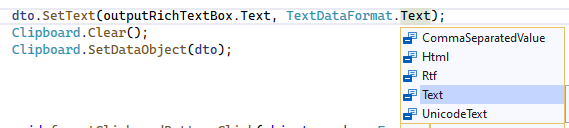
@bbhulsey currently I use the ANSI Text Format

grafik

I could give the Unicode-Format a try.


Reply
Guido
Admin
(@admin)
Joined: 5 years ago

Member
Posts: 295

@bbhulsey could you please download https://www.sqlinform.com/app/SQLinFormDesktopCopyFormat.zip

and start the Desktop app

There are 2 new buttons. Could you please test if one of them is fine for you.

grafik

Reply
Posts: 14
Topic starter
(@bbhulsey)
Member
Joined: 4 years ago

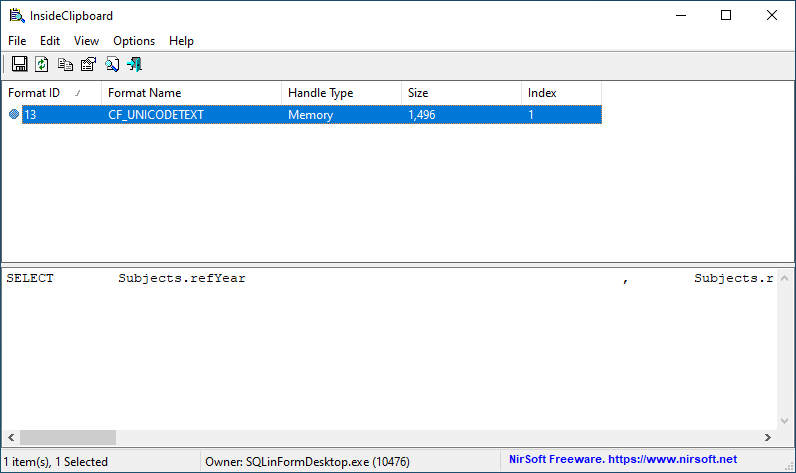
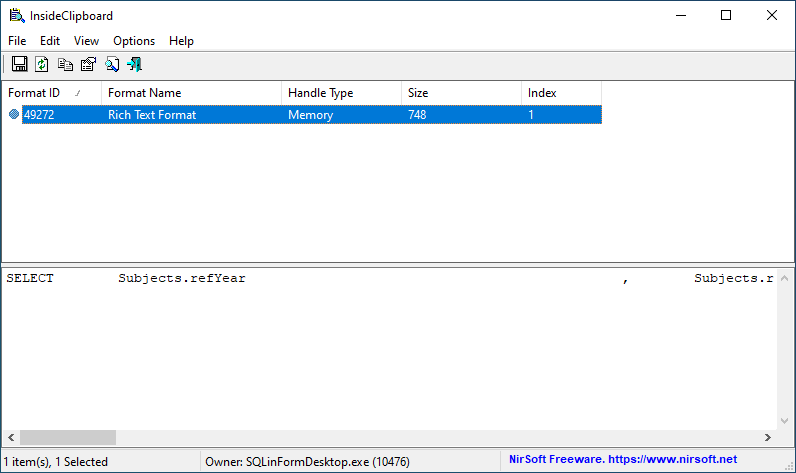
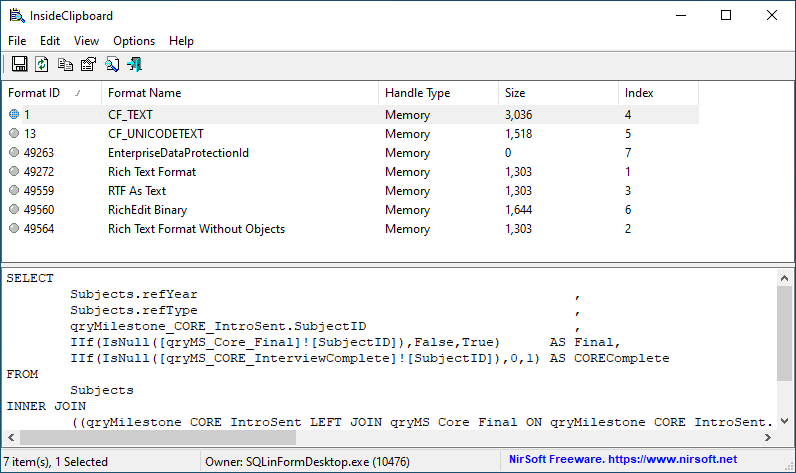
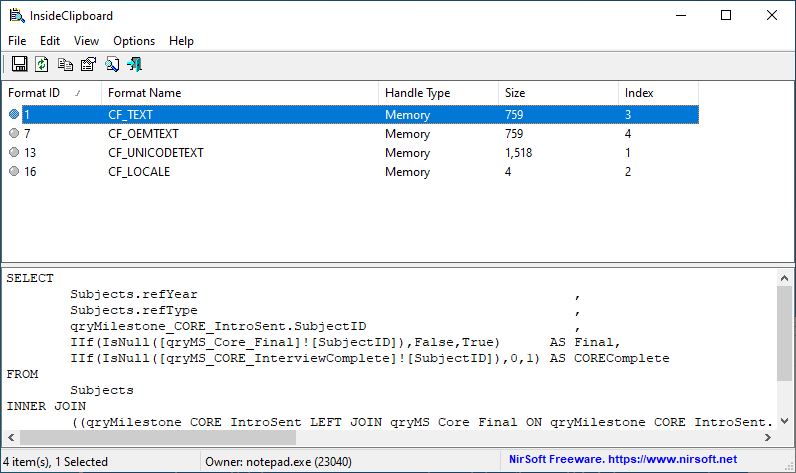
Hi @guido, thanks for trying, I really do appreciate it.  Unfortunately it appears that the utf button performs identically to the existing Copy SQL 2 Clipboard button and the rtf button does not place usable text on the clipboard at all (it does not result in a paste option being available in Access).  I used the Nirsoft InsideClipboard utility at https://www.nirsoft.net/utils/inside_clipboard.html to compare the results of all three copy to clipboard operations (the original Copy SQL 2 Clipboard button, the utf button, and the rtf button) plus simply copying the text from SQLInform results box using ctrl-C, and copying from Notepad using ctrl-C:

1. Using the original Copy SQL 2 Clipboard button (results in UTF in the clipboard):

image

2. Using the utf button (identical result to clicking the original Copy SQL 2 Clipboard button - still results in UTF in the clipboard):

image

3. Using the rtf button:

image

4. Copying directly from SQLInform results window using ctrl-C (this places a lot of things on the clipboard but works with a simple ctrl-V to paste into Access SQL window)

image

5. Copying from Notepad using ctrl-C (also works with a simple ctrl-V to paste into Access SQL window)

image

Reply
3 Replies
Guido
Admin
(@admin)
Joined: 5 years ago

Member
Posts: 295

@bbhulsey ,

thanks for your patience.

Finally I found the issue (and therefore the solution). It was too simple.

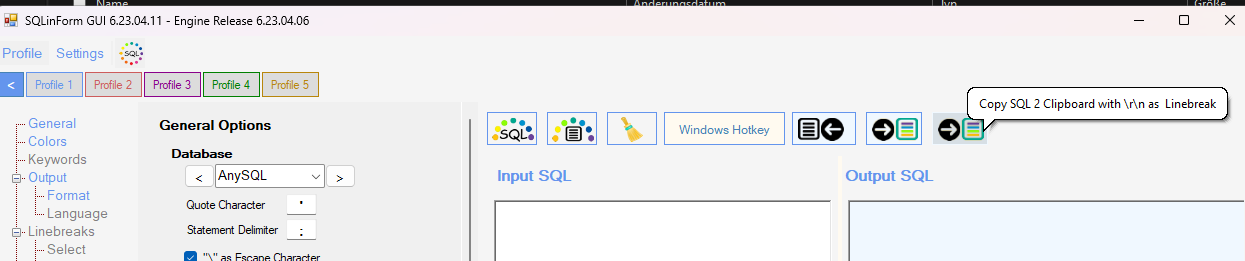
Please download the newest release (empty your browser's cache) and give the new release 6.23.04.11 a try.

I added a new copy button.

grafik

Reply
(@bbhulsey)
Joined: 4 years ago

Member
Posts: 14

@admin Hello Guido, the new copy button works well for MS Access.  Rather than confuse other users perhaps the preferred copy method could be implemented as a general setting rather than as an extra button?  Just a thought.  It seems to work well and thank you very much for your work on this issue!


Reply
Guido
Admin
(@admin)
Joined: 5 years ago

Member
Posts: 295

@bbhulsey good thought, I removed the old copy button and kept the new one. I think crlf will alwys work as linebreak in Windows environment

Regards

Guido


Reply
Share: