
Non-Keywords Not Formatting Properly

6 Posts
2 Users
0 Reactions
935 Views
Posts: 20
Topic starter
(@jasonccrane)
Member
Joined: 3 years ago
[#82]

I've just recently upgraded to Engine 6.0.4 and noticed some options no longer work the same.

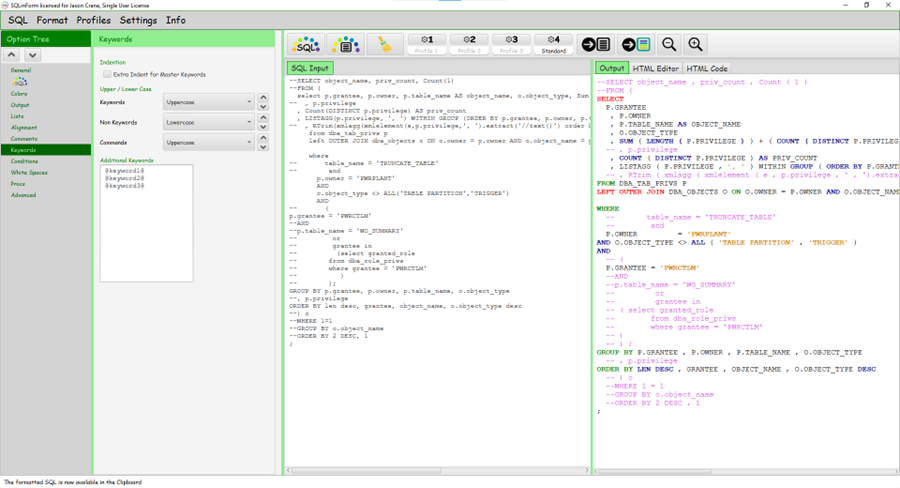
Currently I want everything that is either a keyword or command to be uppercase and everything non-keyword to be lower.  This option no longer seems to work.


I have the options configured like the following:
image

Is there a newer option that I'm missing?  Older versions would lowercase the column names appropriately.


5 Replies
Guido
Posts: 295
Admin
(@admin)
Member
Joined: 5 years ago

Hi @jasonccrane,

good to see you back.

Thanks for your feedback. The issue seems to be related to the "Commands UpperCase" value.

Could you please choose for Commands "Keep unchanged" and try again

Regards

Guido


Reply
1 Reply
(@jasonccrane)
Joined: 3 years ago

Member
Posts: 20

@admin thanks, Guido!

It behaved as expected. Any SQL copied doesn't get modified however, when I change it to lowercase it does not behave as expected and leaves everything uppercase. 


Reply
Posts: 20
Topic starter
(@jasonccrane)
Member
Joined: 3 years ago

@admin, I should have clarified, your suggestion worked.  Using Keywords as Uppercase, Non Keywords as Lowercase and Commands as *Keep unchanged* does what I want it to do.

Will there be a change in a future release?  Thanks for your help!


Reply
Guido
Posts: 295
Admin
(@admin)
Member
Joined: 5 years ago

@jasonccrane, yes, will publish a new Release soon. Will keep you informed. Thanks.

Guido


Reply
1 Reply
(@jasonccrane)
Joined: 3 years ago

Member
Posts: 20

@admin You're the best!


Reply
Share: