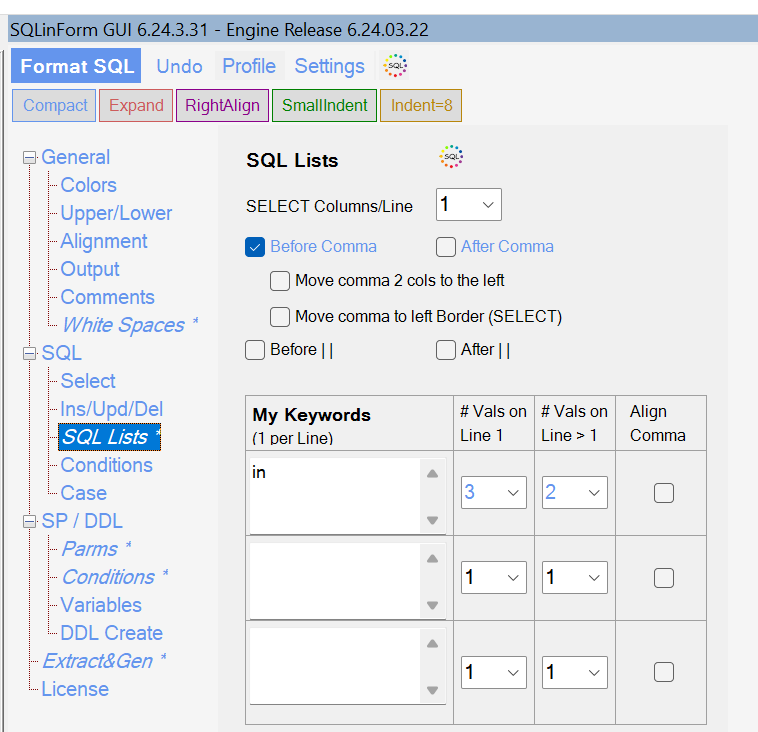
Hi @kick, maybe the issue is related to the new "numericUpDown" gui elements. I changed their properties a little bit.
Would you mind downloading the latest Release 6.24.03.27 and give it a try?
Regards
Guido
 SQLinForm SQL Formatter
Hi @kick, maybe the issue is related to the new "numericUpDown" gui elements. I changed their properties a little bit.
Would you mind downloading the latest Release 6.24.03.27 and give it a try?
Regards
Guido

Well, good news/bad news. It affected a change, just not for the better. 🙂
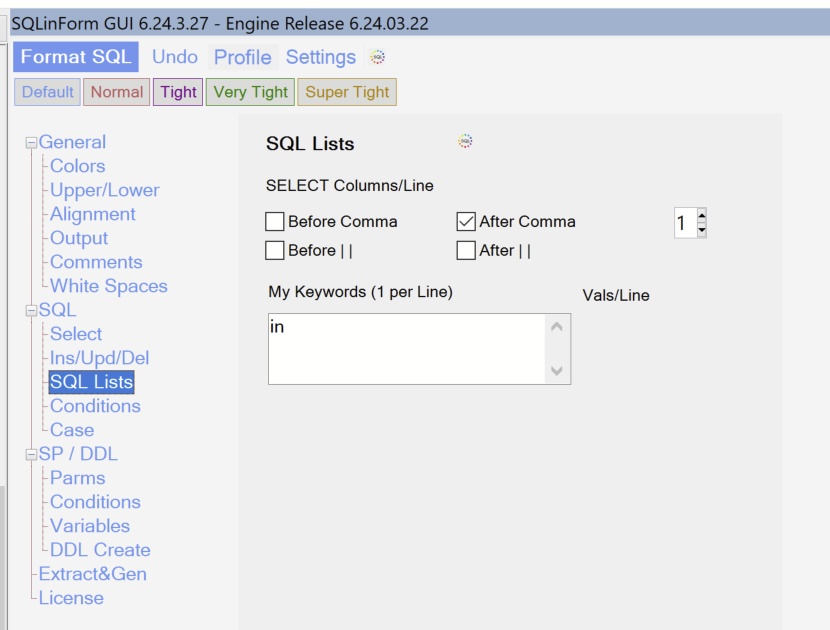
Hi @kick, thanks for your patience. I wonder why I can't reproduce this issue. I tested it on several machines with different monitors and it always looks fine
* Do you know which .net framework Versions you have installed?
* Could you please de-install the Plugin and re-install it. This will delete all the Profiles. I wonder if the Profiles are corrupt and produce some exceptions
Thanks
Guido
Hi Guido, I will check on the .net versions and will also de-install and re-install the plugins. I created the profiles ~5 years ago so they have been through a large number of changes and Npp++ upgrades.
Thanks, -Kick
Hi Guido,
It works now. I am not sure if the solution was your latest update(,I think it was,) or the "sledgehammer" I took to notepad (uninstall all NPP plugins, uninstall NPP, delete the directory under "Program Files", and then reinstall).
This has also fixed the problem I have had forever with formatting SQL in a right-hand window in NPP.
Thanks again!