[Solved] VScode plugin

5 Posts
2 Users
0 Reactions
1,883 Views
Posts: 2
 rino
Topic starter
(@rino)
Member
Joined: 3 years ago
[#70]

Pro license user here.


I see that the Windows App comes with a VS Community plugin: SQLinFormVSIX2022.vsix

I've double clicked it to install it. Was hoping it applied to VScode too, but seems not.

I've also tried to add it to extensions within VScode: Extensions -> '...' icon -> install from *.vsix file. That only generates an error.


So I was hoping you could make it as a extension for VScode also?


4 Replies
Guido
Posts: 295
Admin
(@admin)
Member
Joined: 5 years ago

Hi rino,

many thanks for your post.

The VS plugin is for Visual Studio but not for Visual Studio Code.

The good news is that I am working on a Visual Studio Code extension and I am looking for Alpha-/Beta-Users.

I hope that I can publish a first release end of this month.

Regards

Guido

PS. The Single User License will also include de VS Code plugin


Reply
1 Reply
Guido
Admin
(@admin)
Joined: 5 years ago

Member
Posts: 295
Posts: 2
 rino
Topic starter
(@rino)
Member
Joined: 3 years ago

Hi, sorry for late feedback here.


Installed it in vs code using the extensions insall route. No problem 🙂


Entered my license information for Pro acording to your info on: https://www.sqlinform.com/download-visual-code-plugin/

I think that went ok, but could not see any feedback that I have registered for Pro or not in the extension.

A million options as in the other apps (which I like). Will need a little time to test those out.

Used the right click for context menu to format, and worked.

That's it so far. will come back with more feedback.


Reply
1 Reply
Guido
Admin
(@admin)
Joined: 5 years ago

Member
Posts: 295

@rino , OK, I will add a confirmation message when Licnese Info is correct.

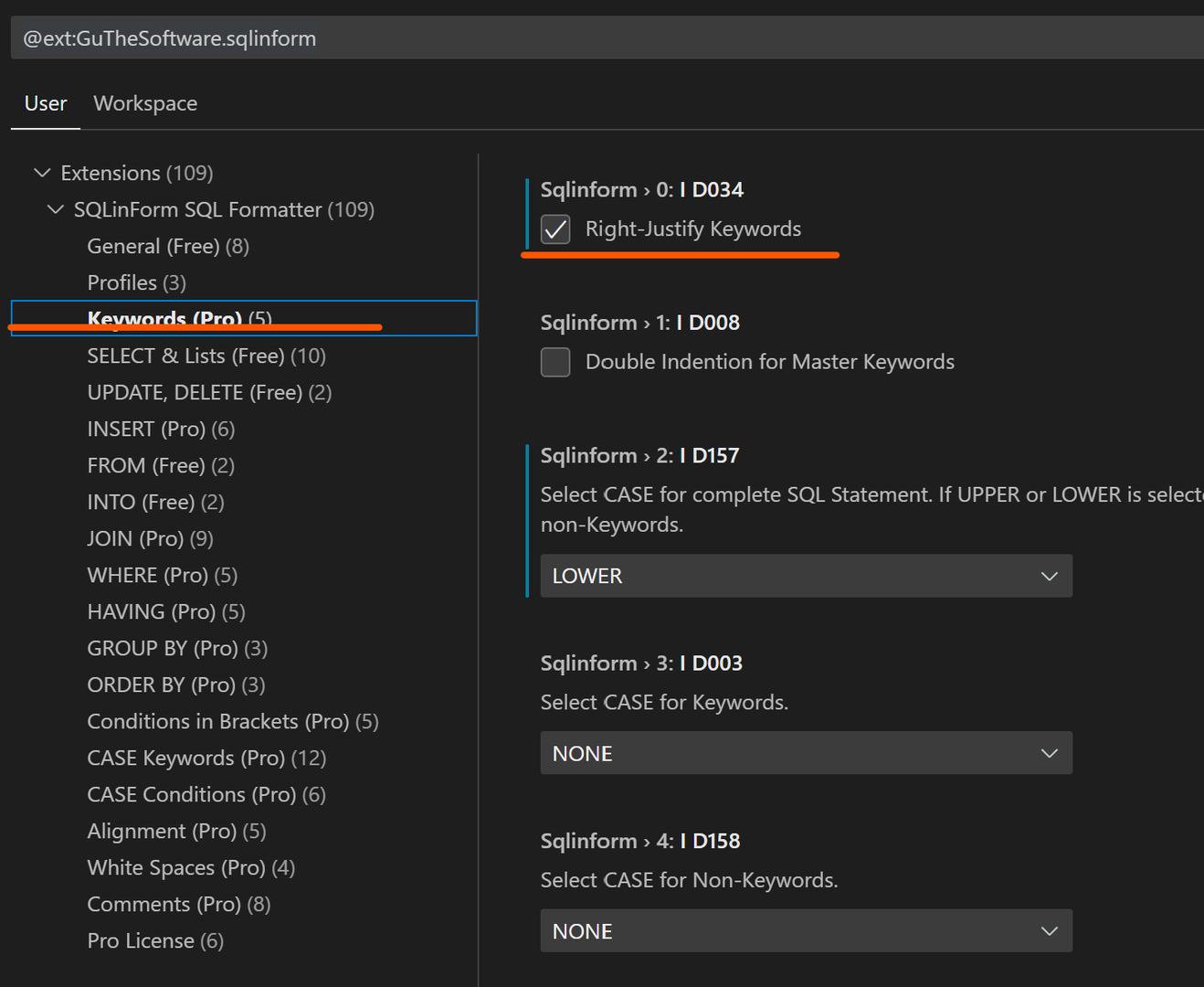
Please try this option (see screen shot) or any other Pro Option to see if the registration was ok


grafik

Reply
Share: