[Solved] All SQL code being deleted when I try to format

10 Posts
6 Users
0 Reactions
3,159 Views
Posts: 1
Topic starter
(@kylestow)
Member
Joined: 4 years ago
[#59]

I copied the SQLinForm as External SQL Formatter in DBeaver command from the UI and pasted it into the Command Line Box of the external formatter command line setting, but now when I try to format my SQL code, it removes all the code in the current window.

Any idea what I did wrong?


9 Replies
Guido
Posts: 295
Admin
(@admin)
Member
Joined: 5 years ago

Hi Kyle@stow,

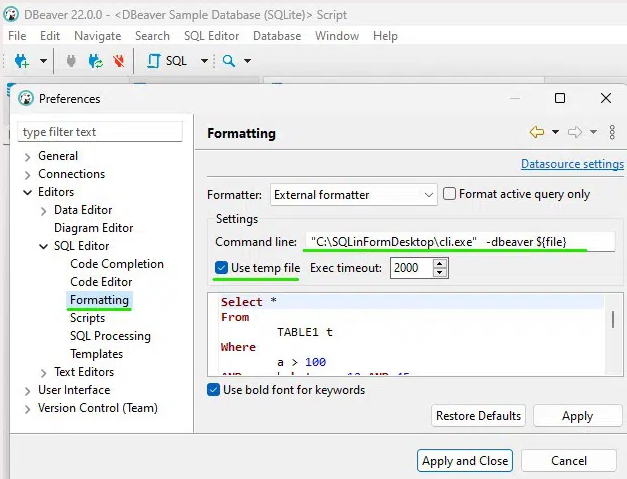
could you please post this screen from your DBeaver installation

grafik

Thanks

Guido


Reply
1 Reply
(@sirthisman)
Joined: 3 years ago

Member
Posts: 1

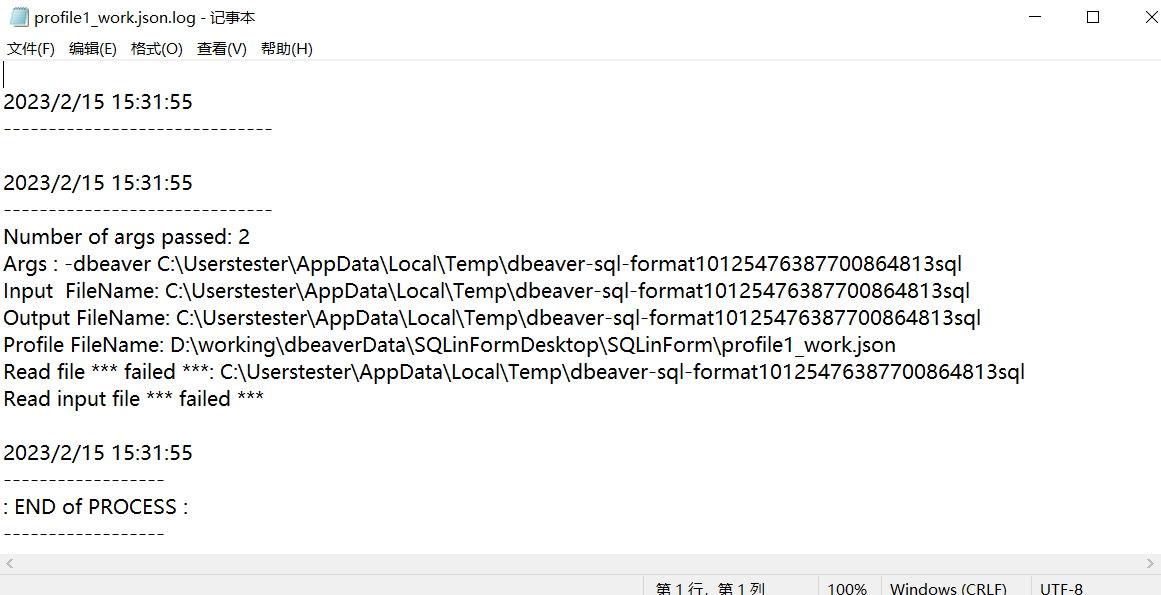
@admin hello,I got the same question.here are setting and log.

What can I do to fix this?

Thanks

image
image

Reply
Guido
Posts: 295
Admin
(@admin)
Member
Joined: 5 years ago

@SirThisMan, thanks for your feedback. Looking to the log it seems that the formatter is not allowed to read in the DBeaver directory

grafik

Regards

Guido


Reply
Posts: 2
(@na5772)
Member
Joined: 3 years ago

Not to necro an old thread but the original poster never seemed to respond.


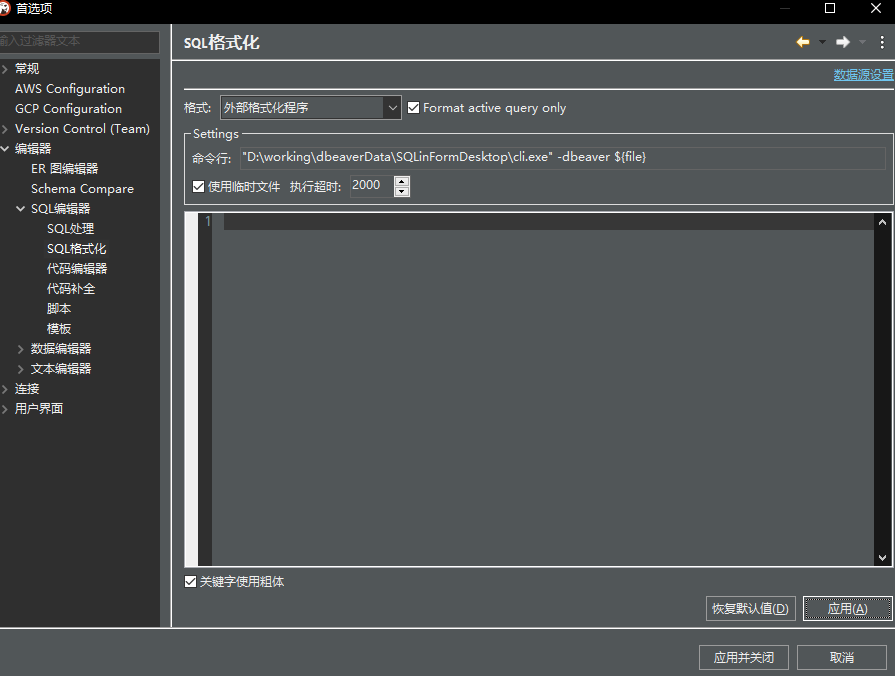
I am having the same issue. When run the formatter, everything in the dBeaver editor disappears.


image


Originally the dbeaver log was reporting the external formatter process was hanging, so I increased the timeout to 5000.  Interestingly, no .log file seems to be generated in the SQLinForm directory. 

*edit: I also tried running dbeaver in administrator mode.


Reply
Posts: 2
(@na5772)
Member
Joined: 3 years ago

Of course as soon as I post I find the issue.

It looks like the issue is with the temp file path being passed to the cli.  From the profileX_work.json logfile, I can see that the path is missing a \ between C:\Users and the username. 

I.e. C:\usersusername\local\temp\dbeaver-blahblahblah is being passed instead of C:\users\username\local\temp\dbeaver-blahblahblah

I'm guessing this is a dbeaver issue with its ${file} variable generation.  As a workaround I created a symbolic link between c:\usersusername and c:\users\username.  Not ideal but effective.


Reply
Page 1 / 2
Share: