SSMS 20 issue with profile

13 Posts
2 Users
0 Reactions
2,523 Views
Posts: 36
 Idol
Topic starter
(@idol)
Member
Joined: 3 years ago
[#139]

Hi Guido,

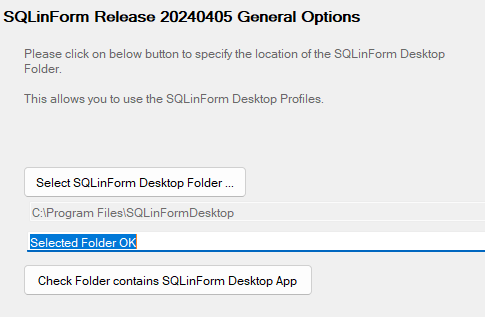
I had upgraded Desktop App.


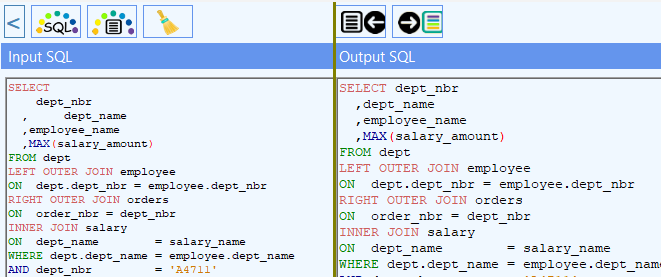
There are two versions of SSMS19 and 20 in my env.

I have try to upgrade SSMS19. It did not work. Should I unistal plugin? If yes, how?


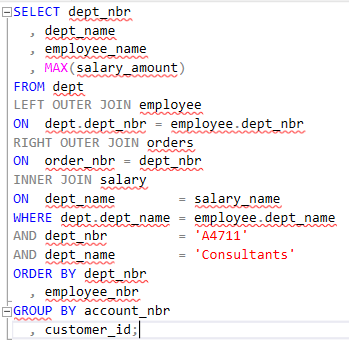
The plugin was installed on SSMS20 (never was before). SSMS20 does not format exactly how Desktop version.

image
image

How can I fix it?


12 Replies
Guido
Posts: 295
Admin
(@admin)
Member
Joined: 5 years ago

Hi @idol, thanks for your feedback.

To un-install the previous version please goto C:\Program Files (x86)\Microsoft SQL Server Management Studio 20\Common7\IDE\Extensions and delete the SQLinForm Folder


Please re-download the ssms20 installer. I published it again. something went wrong during last upload


Regards

Guido


Reply
3 Replies
 Idol
(@idol)
Joined: 3 years ago

Member
Posts: 36

@admin Hi

There is not SQLinForm Folder in C:\Program Files (x86)\Microsoft SQL Server Management Studio 20\Common7\IDE\Extensions, only SSMSPlugin folder where I can find some files which are related to to the plugin for sure.

Reinstalation does not change anything with SSMS20 behaviour.


I have deleted folder SQLinForm in C:\Program Files (x86)\Microsoft SQL Server Management Studio 19\Common7\IDE\Extensions and could not install SQLinForm for SSMS19 again.

Any advice?


Reply
Guido
Admin
(@admin)
Joined: 5 years ago

Member
Posts: 295

@idol

I am sorry, I assumed you were working wirh SSMS 20

For SSMS 19 it is: C:\Program Files (x86)\Microsoft SQL Server Management Studio 19\Common7\IDE\Extensions

For SSMS 20 it is: C:\Program Files (x86)\Microsoft SQL Server Management Studio 20\Common7\IDE\Extensions

You should recreate the Extensions folder.

Did you run the plugin install with admin rights?

Is there any message you could post?

Did you download the installer again?

Regards

Guido


Reply
 Idol
(@idol)
Joined: 3 years ago

Member
Posts: 36

Posted by: @admin

@idol

I am sorry, I assumed you were working wirh SSMS 20

For SSMS 19 it is: C:\Program Files (x86)\Microsoft SQL Server Management Studio 19\Common7\IDE\Extensions

For SSMS 20 it is: C:\Program Files (x86)\Microsoft SQL Server Management Studio 20\Common7\IDE\Extensions

You should recreate the Extensions folder.

Did you run the plugin install with admin rights?

Is there any message you could post?

Did you download the installer again?

Regards

Guido

I remember previous version had opened a installation window, this time - nothing like that. It's just asked permission to change some files.

in C:\Program Files (x86)\Microsoft SQL Server Management Studio 20\Common7\IDE\Extensions I do not have folder SQLinForm, only SSMSPlugin with many files and subfolders. 

Is it normal?

I do not have any errors.

There is a log file (.log) under main SQLinFormDesktop folder, but it looks old:

31/01/2025 1:15:46 pm
------------------------------

31/01/2025 1:15:46 pm
------------------------------
Number of args passed: 0
Args :
--> Missing Input Filename
--> Missing Output Filename
--> Missing Profile Filename

31/01/2025 1:15:46 pm
------------------
: END of PROCESS :
------------------



Reply
Posts: 36
 Idol
Topic starter
(@idol)
Member
Joined: 3 years ago

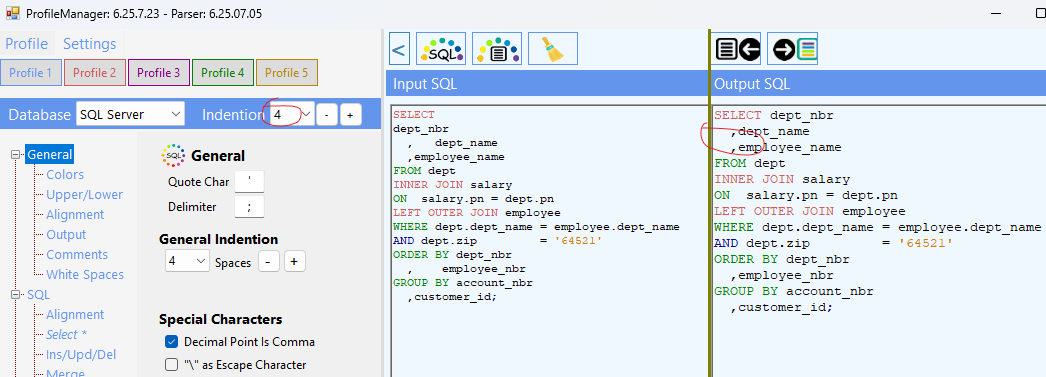
I hope it can help. Indention is 4 but in formated script = only 2.


image

Reply
2 Replies
Guido
Admin
(@admin)
Joined: 5 years ago

Member
Posts: 295

@idol ,

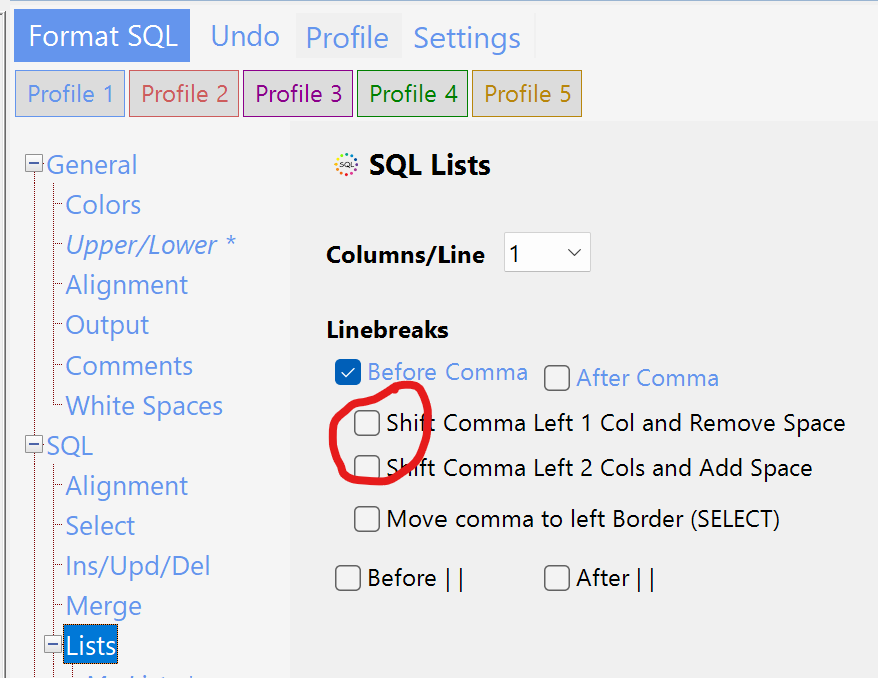
please goto SQL > Lists tab and uncheck the "Shift comma left ... " option

Regards

Guido

grafik

Reply
 Idol
(@idol)
Joined: 3 years ago

Member
Posts: 36

Posted by: @admin

@idol ,

please goto SQL > Lists tab and uncheck the "Shift comma left ... " option

Regards

Guido

-- attachment is not available --

thanks for that


Reply
Guido
Posts: 295
Admin
(@admin)
Member
Joined: 5 years ago

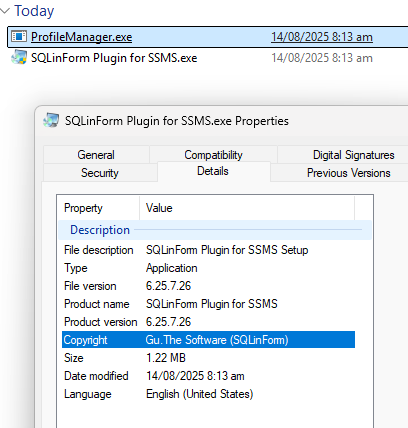
Did you Download the installer today?

How many files are in the zip file?


Reply
1 Reply
 Idol
(@idol)
Joined: 3 years ago

Member
Posts: 36

@admin yes. 2.

image

Reply
Posts: 36
 Idol
Topic starter
(@idol)
Member
Joined: 3 years ago

from SSMS20

image


Reply
Page 1 / 2
Share: