 SQLinForm SQL Formatter
Community Discussion Forum
SQLinForm SQL Formatter
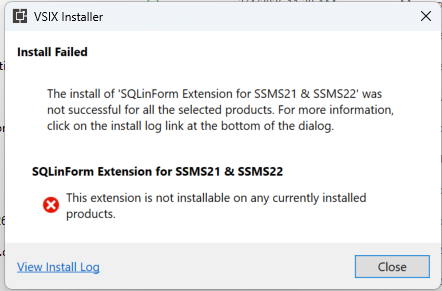
I've tried installing the extension both with and without SSMS running. Any ideas how to proceed?

Hi @georgesqjr,
I have a few questions.
which version of the plugin did you download?
Do you have another SQLinForm Release already installed
Is Visual Studio Installer installed on your computer?
Could you please send the content of the log file to info@sqlinform.com
Thanks
Guido
Plug-in version: SQLinFormSSMS2122_260308.vsix
I do not have another SQLinForm release installed.
I do have the Visual Studio Installer on my machine because that's how SSMS 22 gets installed.
Thank you very much for following up on this.
It may be helpful to know I'm trying to install on a Microsoft Surface Pro 11th Edition, which has an ARM processor.
I couldn't successfully upload the log file.
+++++++++++++++++++++++++++++++++++
3/12/2026 8:43:12 AM - Microsoft VSIX Installer
3/12/2026 8:43:12 AM - -------------------------------------------
3/12/2026 8:43:12 AM - vsixinstaller.exe version:
3/12/2026 8:43:12 AM - 18.3.2151+a13841afd0
3/12/2026 8:43:12 AM - -------------------------------------------
3/12/2026 8:43:12 AM - Command line parameters:
3/12/2026 8:43:12 AM - C:\Program Files (x86)\Microsoft Visual Studio\Installer\resources\app\ServiceHub\Services\Microsoft.VisualStudio.Setup.Service\VSIXInstaller.exe,C:\Users\squillace\OneDrive - Niowave Inc\Downloads_OneDrive\SQLinFormSSMS2122_260308.vsix
3/12/2026 8:43:12 AM - -------------------------------------------
3/12/2026 8:43:12 AM - Microsoft VSIX Installer
3/12/2026 8:43:12 AM - -------------------------------------------
3/12/2026 8:43:14 AM - Initializing Install...
3/12/2026 8:43:14 AM - Searching for applicable products...
3/12/2026 8:43:15 AM - Found installed product - SQL Server Management Studio 22
3/12/2026 8:43:15 AM - Found installed product - Global Location
3/12/2026 8:43:15 AM - Extension Details...
3/12/2026 8:43:15 AM - Identifier : SQLinFormVSIX.4e4e5ad5-f79d-4da4-997b-44b9b4335e9c
3/12/2026 8:43:15 AM - Name : SQLinForm Extension for SSMS21 & SSMS22
3/12/2026 8:43:15 AM - Author : Guido Thelen
3/12/2026 8:43:15 AM - Version : 26.3.8.0
3/12/2026 8:43:15 AM - Description : SQLinForm Extension for SSMS21 & SSMS22
3/12/2026 8:43:15 AM - Locale : en-US
3/12/2026 8:43:15 AM - MoreInfoURL : https://www.sqlinform.com/
3/12/2026 8:43:15 AM - InstalledByMSI : False
3/12/2026 8:43:15 AM - SupportedFrameworkVersionRange : [0.0,2147483647.2147483647]
3/12/2026 8:43:15 AM - SignatureState : Unsigned
3/12/2026 8:43:15 AM - Supported Products :
3/12/2026 8:43:15 AM - Microsoft.VisualStudio.Ssms
3/12/2026 8:43:15 AM - Version : [21.0,23.0)
3/12/2026 8:43:15 AM - ProductArchitecture : amd64
3/12/2026 8:43:15 AM - References :
3/12/2026 8:43:15 AM - Prerequisites :
3/12/2026 8:43:15 AM - -------------------------------------------------------
3/12/2026 8:43:15 AM - Identifier : Microsoft.VisualStudio.Component.CoreEditor
3/12/2026 8:43:15 AM - Name : Visual Studio core editor
3/12/2026 8:43:15 AM - Version : [17.0,)
3/12/2026 8:43:15 AM - Signature Details...
3/12/2026 8:43:15 AM - Extension is not signed.
3/12/2026 8:43:15 AM - VSIXInstaller.NoApplicableSKUsException: This extension is not installable on any currently installed products.
at VSIXInstaller.ExtensionService.GetInstallableDataImpl(String vsixPath, String extensionPackParentName, Boolean isRepairSupported, IStateData stateData, IEnumerable`1& skuData)
at VSIXInstaller.ExtensionService.GetInstallableData(String vsixPath, String extensionPackParentName, Boolean isRepairSupported, IStateData stateData, IEnumerable`1& skuData)
at VSIXInstaller.ExtensionPackService.IsExtensionPack(IStateData stateData, Boolean isRepairSupported)
at VSIXInstaller.ExtensionPackService.ExpandExtensionPackToInstall(IStateData stateData, Boolean isRepairSupported)
at VSIXInstaller.App.Initialize(Boolean isRepairSupported)
at VSIXInstaller.App.Initialize()
at System.Threading.Tasks.Task`1.InnerInvoke()
at System.Threading.Tasks.Task.Execute()
Thanks for the Reply. I see. The issue is the ARM Processor. I need to add this info as PreReq on the Download Page.
I will check how to get this running on ARM processor
Hi @georgesqjr,
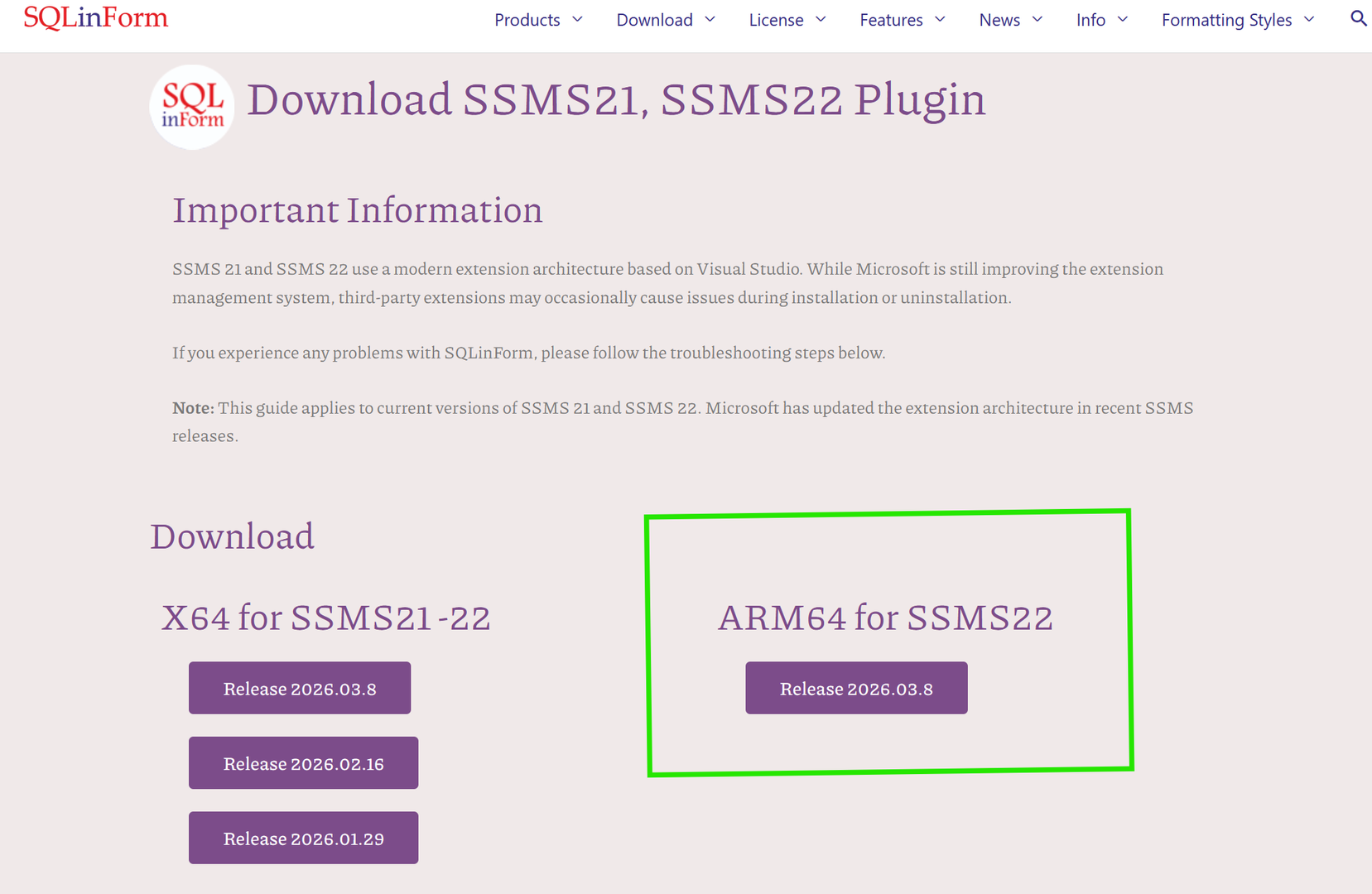
There is no an ARM64 Version for Download
Please let me know if this works. It worked on my Mac Mini M4
Regards
Guido
Guido, it appears to have worked successfully with the ARM64 version. Molto bene! Grazie mille!